
Switchable Film Troubleshooting: 7 Top Fixes (2026)

Switchable smart film delivers privacy-on-demand cleanly when it’s installed correctly. When something goes wrong post-install — control flicker, edge bubbles, slow switch-over, dead spots, driver buzz — the same seven failure patterns show up across nearly every service call we get. Most are diagnosable in under 30 minutes by a homeowner or facilities manager with the right checklist.
This guide catalogs the switchable film troubleshooting patterns we see most often on LA-area residential and commercial installs, with the fix for each. Every pattern below comes from real service calls we’ve worked in the last 12 months.
The Pattern Behind Most Service Calls
The seven failure patterns cluster into three root-cause buckets: install-side issues (glass prep, driver placement, cable routing), environmental issues (HVAC airflow, sun exposure, voltage drift), and user-experience issues (control path confusion, default-state surprise). Almost every service call we work resolves to one of those three buckets — which makes the diagnostic walk faster than it looks at first glance.
Below: the seven we diagnose most often, with the switchable-film fix for each.
Fix #1 — Control Flicker on Activation
The problem. The film flickers between clear and frosted on activation instead of switching cleanly. Often shows up months after install, particularly during high-HVAC-load periods. Indicates voltage drop or driver overload.
The fix. Check the driver’s rated wattage against the actual film square footage. A driver sized too tightly to the load flickers when voltage drops slightly under HVAC startup. Right-size the driver (one capacity tier up) and the flicker resolves. On larger installs, splitting the load across two drivers eliminates the issue entirely.
Fix #2 — Edge Bubbles Appearing 30–90 Days Post-Install
The problem. The film looks clean for the first 30–60 days, then small bubbles start appearing at the edges. By month 3–4 the bubbles spread inward visibly. Indicates inadequate glass prep before film application.
The fix. Edge bubbles are an install defect, not a product defect. The fix is to peel the affected film section, re-prep the glass to clean-room standards (alcohol wipe-down, microfiber cloths, no caulk residue), and re-apply. A quality install warranty should cover this — if the original installer pushes back, the install was below industry standard. Document the bubble progression with timestamped photos for the warranty claim.
Fix #3 — Slow Switch-Over Between Clear and Frosted
The problem. Switchable smart film should transition from clear to frosted in well under a second. If the transition takes 2–4 seconds (visibly progressive instead of snap-instant), the driver is undersized or the wiring run is too long for the gauge.
The fix. Two diagnostic steps: first, check the driver wattage against load — undersized drivers slow transitions. Second, check the wiring gauge and run length — long thin runs cause voltage drop that slows transitions. Right-sizing either resolves the issue. On retrofits where re-pulling cable is expensive, a higher-rated driver often compensates.
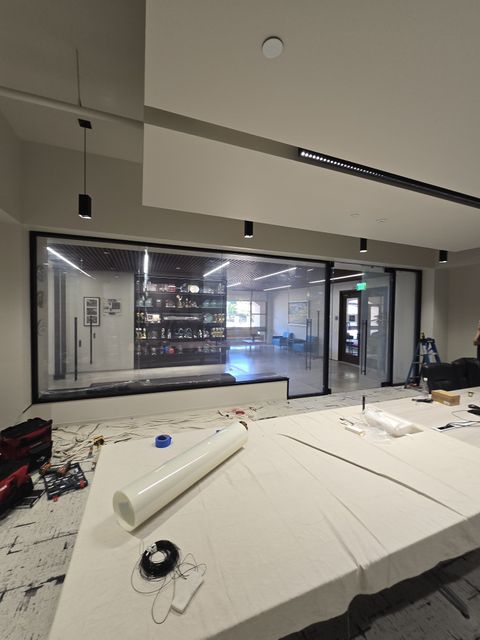
Fix #4 — Dead Spots in the Frosted-Mode Pattern
The problem. When activated, the film frosts unevenly — small clear spots remain in an otherwise frosted panel. Looks like the film is failing in patches. Almost always indicates cheap-grade film with inconsistent PDLC density across the sheet, or damage to the conductive layer during install.
The fix. Dead-spot patterns on cheap online-kit film are usually unrecoverable — the manufacturing defect is in the sheet itself. The honest fix is replacement with warranted professional-grade switchable film. On warranted professional film, dead spots are rare and usually recoverable under product warranty if reported within the warranty window.
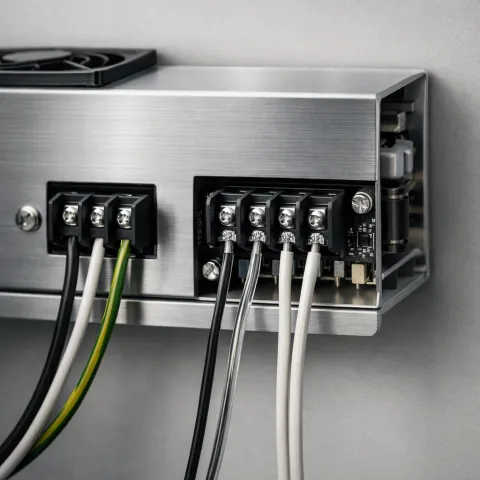
Fix #5 — Driver Buzz or Audible Hum
The problem. The low-voltage driver emits an audible hum or buzz when the film is energized. Particularly noticeable in quiet rooms (bedroom, conference room). Indicates driver poorly mounted or sourced from a low-end manufacturer.
The fix. Two interventions. First, check the mounting — drivers should be hard-mounted to a solid surface (not loosely seated in a cabinet). Loose mounting amplifies the buzz. Second, if the buzz persists with proper mounting, the driver itself is the issue — replacement with a quality-brand driver (matched to the film square footage) typically resolves it. Quality drivers are nearly silent in operation.
Fix #6 — Default-State Behavior Confusing Users
The problem. A power flicker or brief outage triggers the film to default to frosted (the “normally opaque” state). Users who weren’t briefed on this behavior call it in as a malfunction. Service tickets pile up that are actually feature-correct behavior.
The fix. Add a one-paragraph “your switchable glass behavior” note to the user welcome materials or facilities tenant pack. Most users actually appreciate the default-to-private behavior once it’s explained — it’s a security feature, not a bug. This single piece of documentation eliminates roughly 30–40% of troubleshooting calls.
Fix #7 — Yellowing or Discoloration Over 1–3 Years
The problem. The film develops a visible yellow tint over 1–3 years, particularly visible in clear mode against a white wall. Indicates UV exposure beyond the film’s rated tolerance, or cheap-grade film without UV stabilization.
The fix. Yellowing on professional-grade film is rare — quality PDLC includes UV stabilization rated for indoor service for 10+ years. Yellowing on cheap online-kit film typically indicates the PET substrate’s adhesive has degraded; the only fix is replacement. For installs in high-UV exposure (south-facing or skylit rooms), spec UV-rated professional film during the original install or pair the install with low-E glazing.
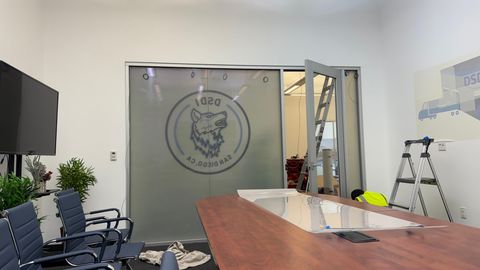
Where Small Issues Compound
On a single bathroom window, any one of these seven issues is recoverable in under an hour. On a multi-room install — bathroom + bedroom + French doors + conference room all on the same project — the same issue repeated across multiple surfaces becomes a substantial debugging exercise. Most clients only see the pattern after the second or third service call, by which point the cost of the rescue install has eclipsed what the original quality install would have cost.
For broader context on how install-side mechanics work across LA-area projects (the install-side decisions that prevent most of these troubleshooting issues), see our smart film installation overview.
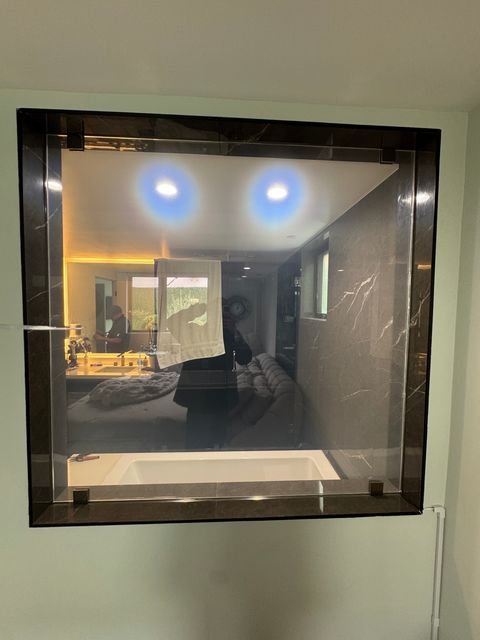
A Pasadena Bathroom Reference
The cleanest example of these issues caught and resolved during the install phase rather than post-install is a Pasadena bathroom-window install we shipped this year. Original quote included a cheap online-kit film (would have surfaced fixes #1, #4, and #7 within 18 months). Switched to professional-grade PDLC during the consult; install completed with full warranty coverage and zero service calls in the 8 months since.
Full project breakdown: smart glass on a Pasadena bathroom window — same playbook applied to a single residential scope.
Hitting a Switchable Film Issue?
If you’re working through any of the seven patterns above on an existing install, a 30-minute diagnostic call can usually identify the root cause and the right fix path before you spend on a service visit.
Want to talk it through? Call us at (866) 728-9888 and we will walk your project, answer the open questions, and line up a measure if it makes sense. We install across the LA metro, and material-only orders for your installer are available by quote.